File attachments
Embedded file streams
Embedded file streams [allow] the contents of referenced files to be embedded directly within the body of the PDF file. This makes the PDF file a self-contained unit that can be stored or transmitted as a single entity.
fpdf2 gives access to this feature through the method embed_file():
pdf = FPDF()
pdf.add_page()
pdf.embed_file(__file__, desc="Source Python code", compress=True)
pdf.output("embedded_file.pdf")
Annotations
A file attachment annotation contains a reference to a file, which typically shall be embedded in the PDF file.
fpdf2 gives access to this feature through the method file_attachment_annotation():
pdf = FPDF()
pdf.add_page()
pdf.file_attachment_annotation(__file__, x=50, y=50)
pdf.output("file_attachment_annotation.pdf")
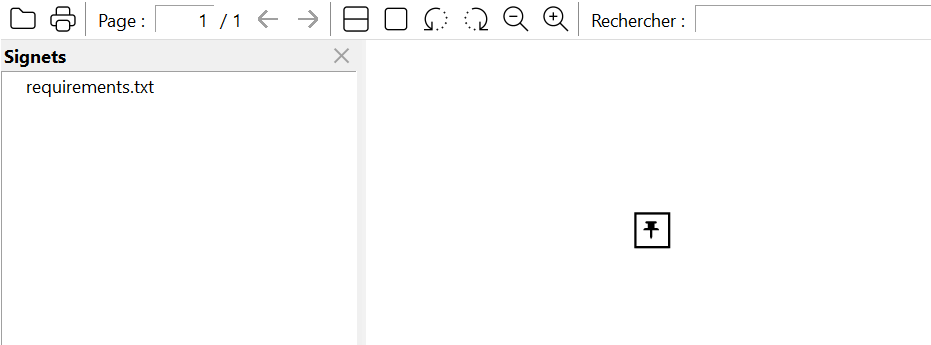
Resulting PDF: file_attachment_annotation.pdf
By default, PDF viewers render an icon (a paperclip, a pushpin, ...) for a file attachment annotation. Pass appearance=FileAttachmentAppearance.HIDDEN to suppress that icon while keeping the file embedded and reachable:
from fpdf.enums import FileAttachmentAppearance

pdf = FPDF()
pdf.add_page()
pdf.file_attachment_annotation(__file__, x=50, y=50, appearance=FileAttachmentAppearance.HIDDEN)
pdf.output("file_attachment_annotation.pdf")
This gives the annotation an empty appearance stream, which is a portable way of overriding the default icon that all conforming viewers honor.
Browser PDF viewers do not usually display embedded files & file attachment annotations, so you may want to download this file and open it with your desktop PDF viewer in order to visualize the file attachments.